

Configure Bright MCP in Augment Code
This page will guide you on how to setup Bright's MCP in Augment Code
-
In your IDE go to the Augment Code extension settings:
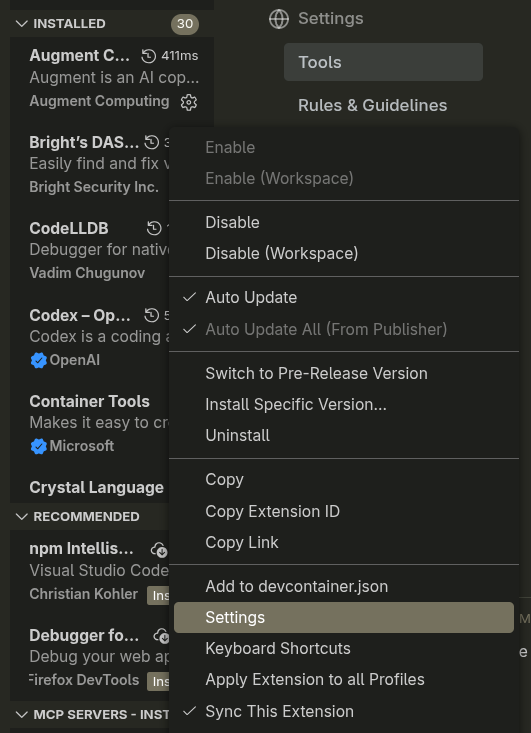
-
Once inside the settings go to Tools and scroll down to MCP
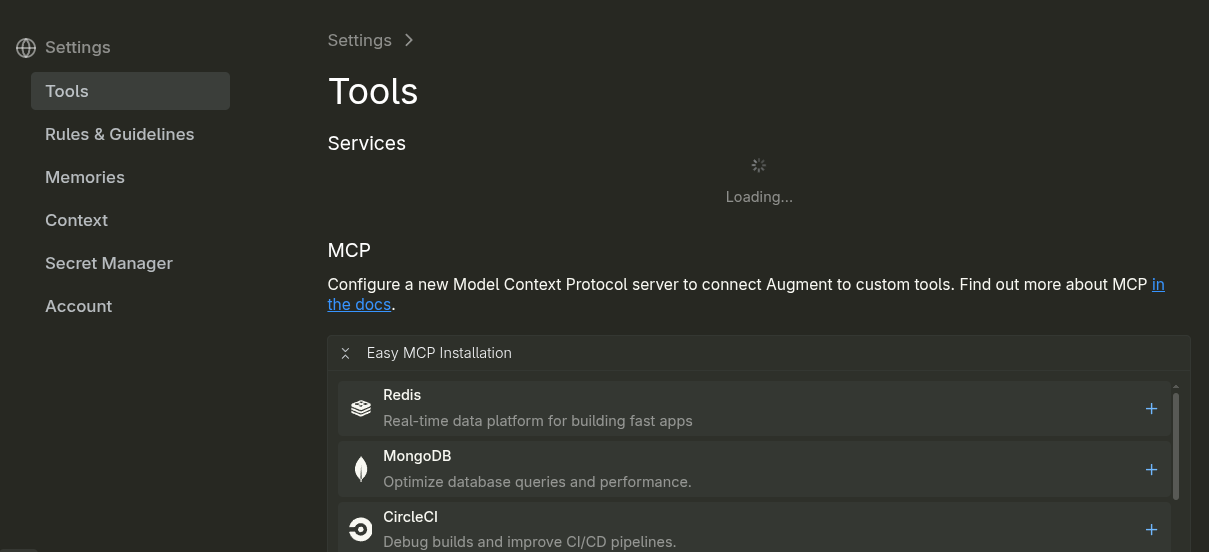
-
Under MCP click on: + Add remote MCP

-
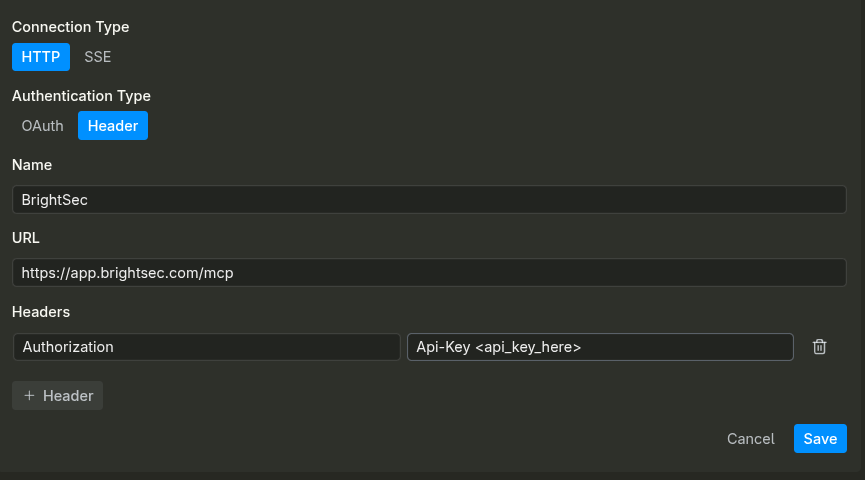
Set the following fields as shown:
-
Connection Type: HTTP
-
Authentication Type: Header
-
Name: BrightSec
-
URL: this is based on your cluster, but by default should be https://app.brightsec.com/mcp
-
Headers: Authorization and your API key in the value as Api-Key KEY_HERE
-
-
Once this is done click save, if your configurations are correct you should see something like this:

-
Your are now able to call Bright's functionality from within Augment Code
Updated 10 months ago
Did this page help you?