

Project Classification
Overview
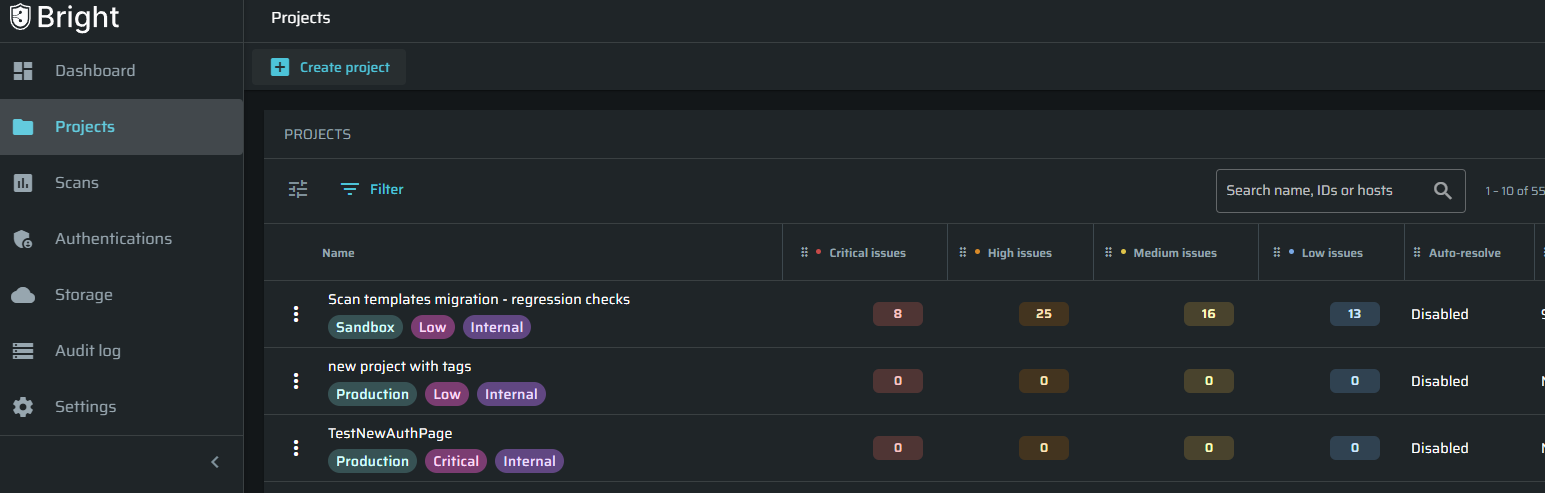
Project Classification helps you organize projects based on their business and security context.
You can classify each project using:
- Environment - Where the application is used, such as Production or Staging.
- Business Criticality - How important the application is to your organization.
- Exposure - Whether the application is publicly accessible or available only internally.
Adding this information helps your teams find relevant projects, understand their importance, and focus security efforts on the applications that require the most attention.
Classify a Project
To classify a project:
-
Go to Projects.
-
Find the project you want to classify.
-
Open the project actions menu. (3 dots)
-
Select Settings
-
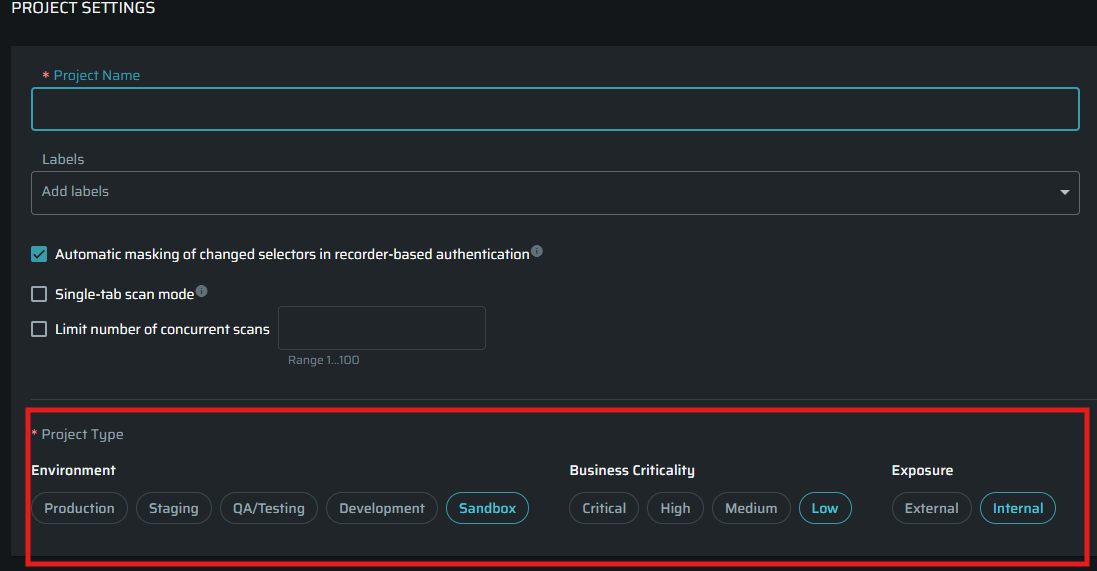
Select a value for each classification field:
- Environment
- Business Criticality
- Exposure
-
Select Save.
The selected values will appear in the Projects table.
The available classification values are defined by Bright and cannot currently be customized.
Filter Projects by Classification
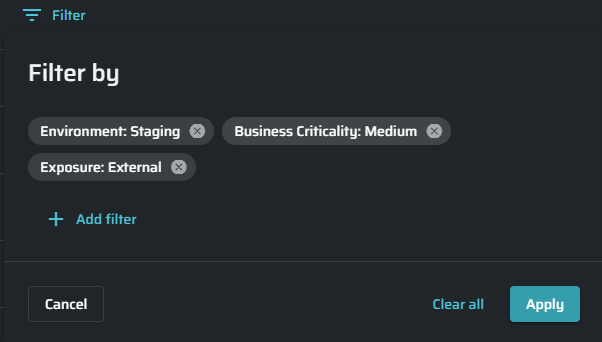
To find projects with specific classifications:
- Go to Projects.
- Open the project filters.
- Select one or more classification filters.
- Choose the values you want to include.
- Apply the filters.
You can combine classification filters to create a more focused view.
For example, you can display projects that are:
- In the Production environment
- Business Critical
- Externally Exposed
This helps you quickly identify projects that may require closer monitoring or more frequent security testing.
How Multiple Filters Work
When you select multiple values within the same classification, Bright displays projects matching any of those values.
For example:
- Environment is Production or Staging
When you combine different classifications, projects must match the selected values in every classification.
For example:
- Environment is Production
- Exposure is External
Bright will display only externally exposed production projects.
Filter the Organization Dashboard by Classification
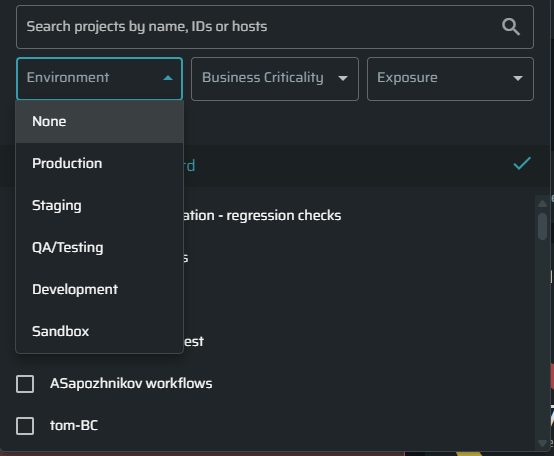
You can also filter projects by classification in the Organization Dashboard.
This allows you to view dashboard data for specific groups of projects based on their business context, such as:
- Production projects
- Business-critical applications
- Externally exposed applications
You can combine multiple classification filters to focus the dashboard on the projects most relevant to your analysis and priorities.
Update a Classification
Project classifications can be updated whenever the project’s purpose or environment changes.
You can do it via the project actions menu (3 dots) or the pencil icon next to the project name in the dashboard.
Keeping classifications current ensures that filters and project views continue to provide accurate information.

Recommended Practices
- Classify new projects when they are created.
- Review classifications when an application moves between environments.
- Update the Exposure value when application access changes.
- Use Business Criticality to represent the application’s importance to the organization, not its current security status.
- Use classification filters to prioritize public, production, and business-critical applications.
Updated 3 months ago