

Project-Level Email Notifications
Project-level email notifications let project teams control who receives scan-related email notifications per project, instead of limiting notifications to the scan initiator only.
This helps ensure important updates reach the right people, reduces unnecessary noise, and keeps notification behavior aligned with team ownership.
Who can configure project notifications
To view and edit project-level email notifications, a user must have the projects:edit permission for the relevant project.
Users without this permission can view project activity but cannot modify notification settings.
What can be configured
For each project, you can configure email notifications for the following event types:
- New issues found
- Scan status changes
- Errors
Each event type can be enabled or disabled independently.
Where to configure notifications
Open the relevant Project > Navigate to Project Settings > Open the Notifications tab
This tab is available only to users with the required permissions.
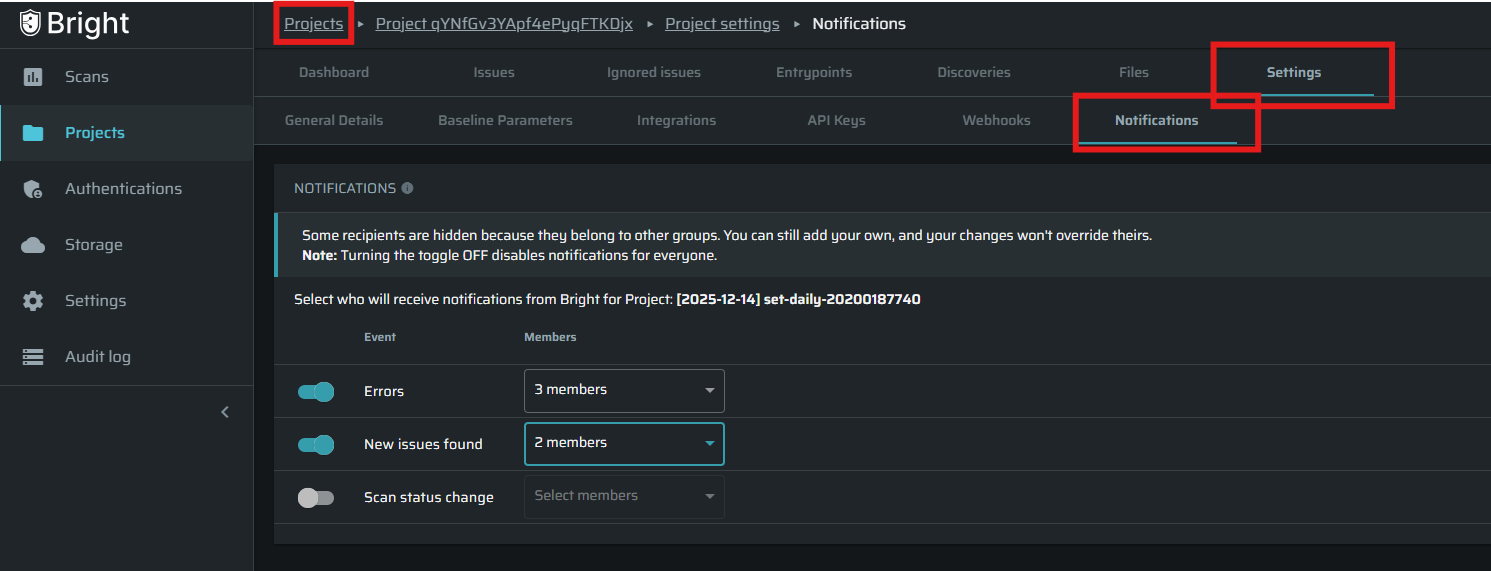
How to configure notifications
For each event type:
- Enable the event using the toggle
- Select who should receive notifications:
- Users (multi-select).
- Changes are saved once the selection is done.
Dropdown behavior
- Only users with access to the project are displayed
- Selected users appear at the top when reopening the dropdown
- Text search is supported
- Selected values are summarized (for example: “2 users”, “6 groups”)
How notification delivery works
An email notification is sent only when both conditions are met:
- The user (or one of their groups) is selected in the project-level notification settings
- The user has the relevant email notification enabled in their personal notification settings
- Project-level settings do not override personal user preferences.
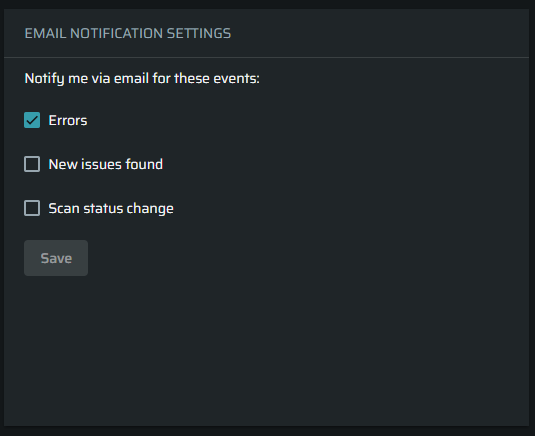
Default behavior
- If no users or groups are configured for a specific event, Only the scan initiator will receive notifications for that event
- Users who lose access to the project are automatically removed from the notification configuration
- Notification behavior remains predictable and consistent across all event types
Updated 10 months ago