

MCP Entry Points
Bright detects MCP servers during discovery and extracts their internal capabilities as entry points.
This includes:
- Tools
- Resources
- Prompts
Each of these is shown as a separate entry point in the Entry Points table.
How it works
When Bright discovers an MCP server, it automatically:
- Identifies the MCP server
- Extracts its tools, resources, and prompts
- Creates a separate entry point for each item
Bright supports testing MCP over HTTP Streaming (protocol version 2025-11-25), including streamable tokens (incremental delivery of data).
You can start working with these entry points immediately.
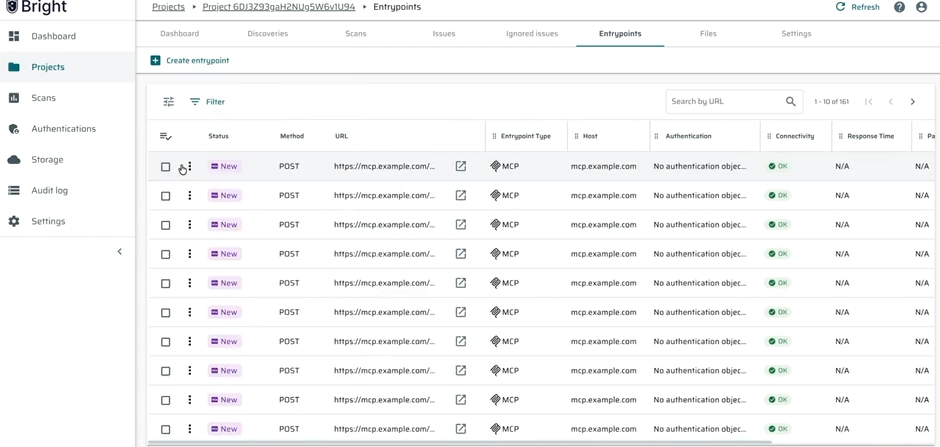
What you can see in the UI
In the Entry Points table, you will now see:
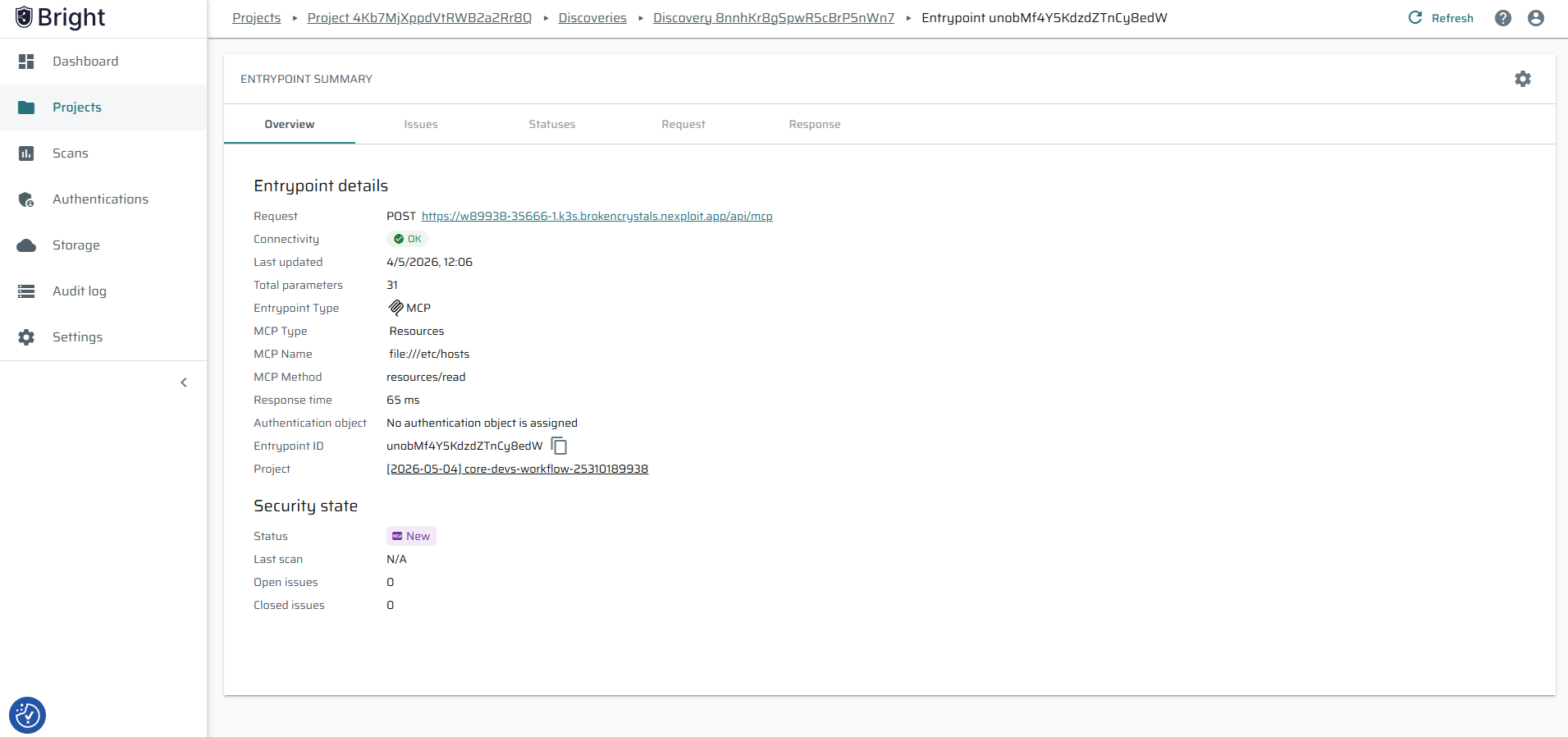
- The MCP server name
- The name of the tool, resource, or prompt
- The MCP type (Tool, Resource, or Prompt)
You can also filter entry points by MCP type to quickly find what you need.
How to use it
You can:
- Explore MCP-related entry points directly in the Entry Points table
- Filter by MCP type to focus on specific items
- Review MCP entry points as part of your discovery results
Updated 5 months ago
Did this page help you?