
Pausing a Scan or Discovery
Pausing a scan temporarily stops an active scan without canceling it. When a scan is paused, its current progress is preserved and the scan can be resumed later from the same state. Pausing a scan does not affect its configuration or history.
Step-by-step guide
- In the left pane, select the Scans option to display the scans list, OR enter the Discoveries tab via the project page.
- Locate the running scan, or discovery you want to pause.
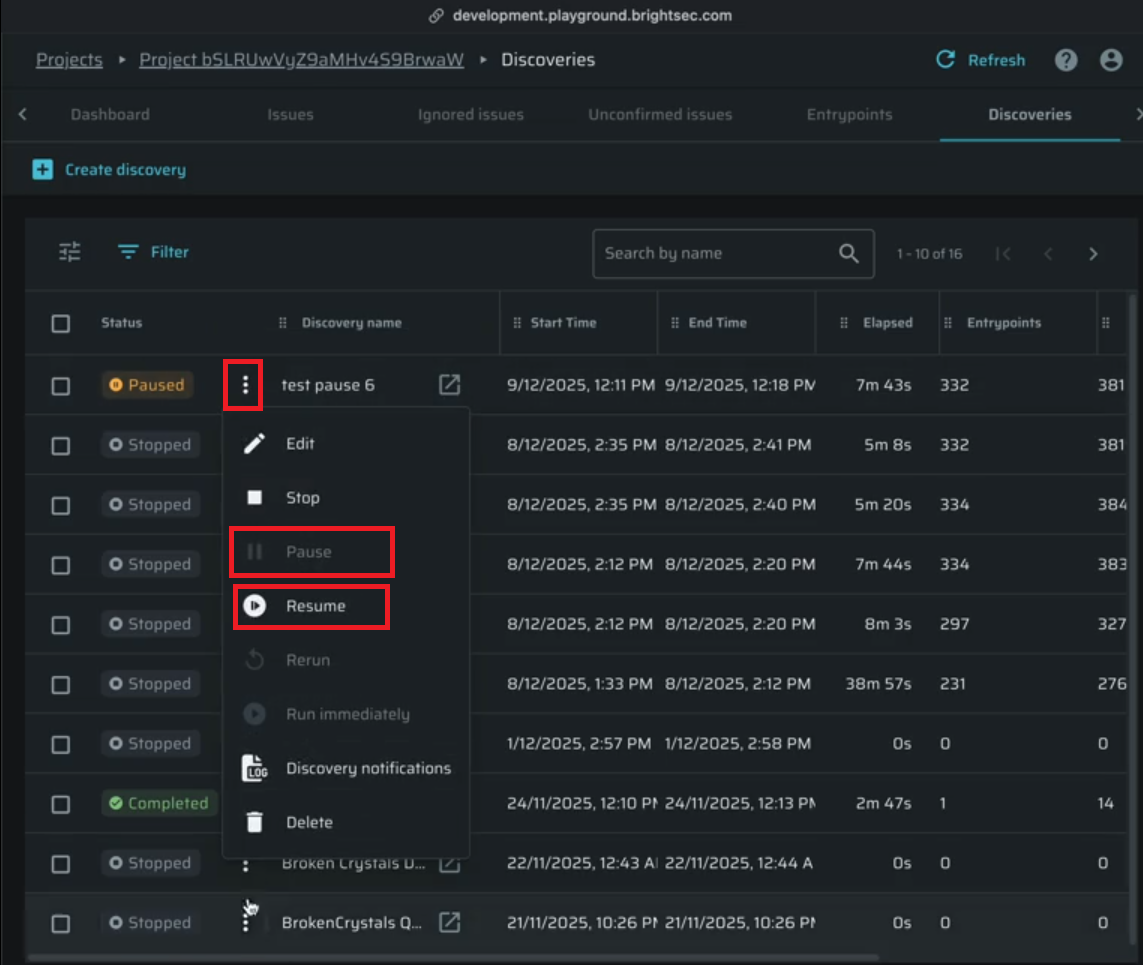
- Click on the 3 dots menu next to the item
- From the dropdown menu, select Pause.
- Confirm the action
The scan/Discovery status will change to Paused. While paused, the scan/Discovery does not consume system resources and will not progress until resumed.
To continue the scan/Discovery, open the same menu and select Resume. The scan will continue based on availability and system capacity.
Please note - the scan/Discovery will be stopped for 7 days, afterwards it will be moved to status "Stopped", which will terminate it completely. A notification will be sent via email 24 hours before the termination.
Updated about 1 month ago