
Configuring LLM Providers
STAR uses Large Language Models (LLMs) to analyze code and generate security fixes. Configure your preferred LLM provider to enable AI-powered security remediation:
GitHub Copilot Integration
STAR connects to GitHub Copilot via OAuth application authentication:
- In Bright’s Platform, go to Settings → Integrations
- Click Connect GitHub Copilot
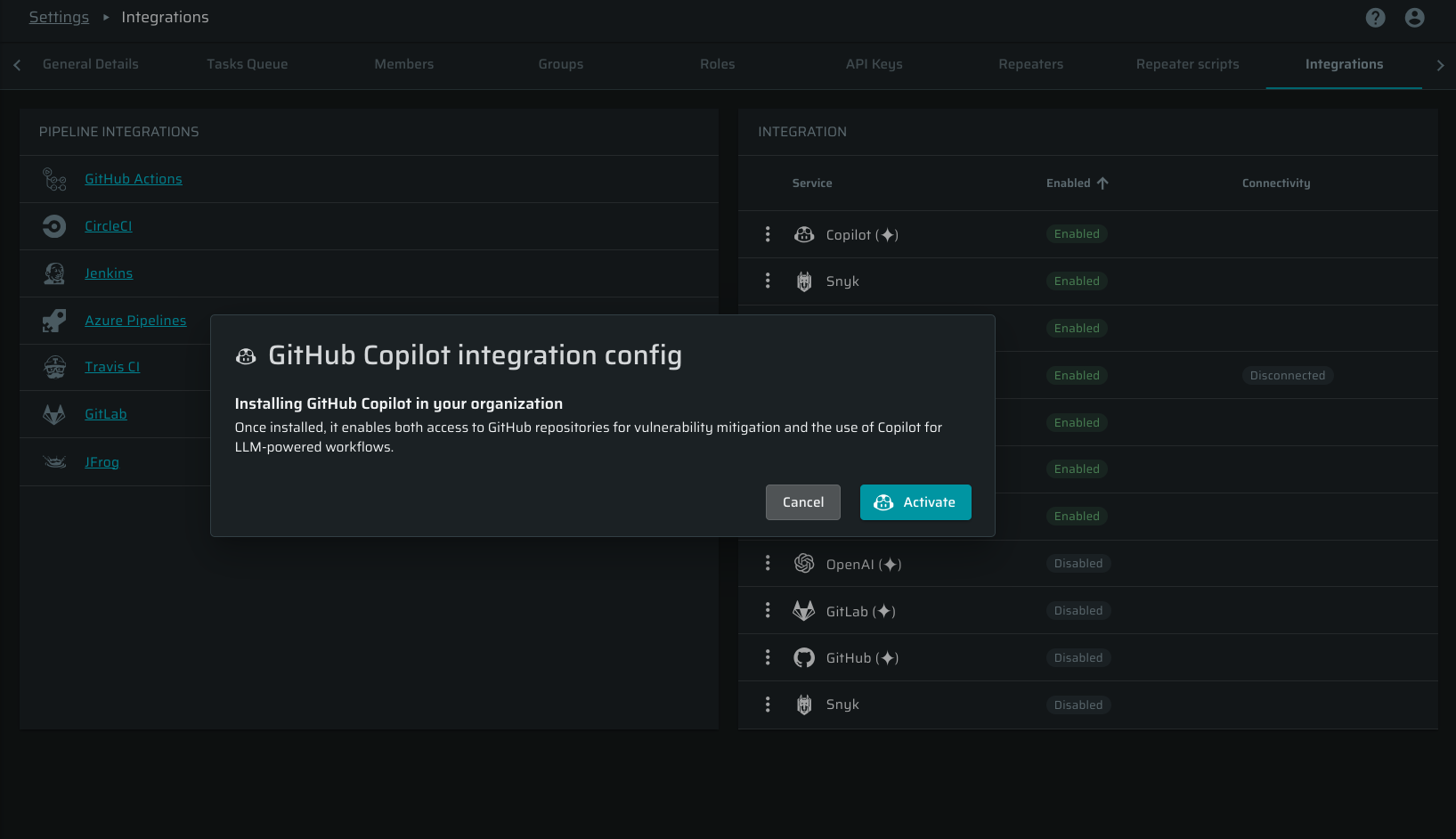
- You will be redirected to GitHub to authorize the STAR application for Copilot access
- Review requested permissions and click Authorize to grant STAR access to GitHub Copilot.
- Select which repositories you want to grant Copilot access to for code analysis
- Click "Install", and you will be redirected back to Bright's platform
STAR will now use GitHub Copilot to generate security fixes and code suggestions.
OpenAI Integration
STAR connects to OpenAI using an API key:
- In OpenAI, go to your API Keys.
- Click Create new secret key.
- Copy the key.
- In Bright's platform, go to Settings → Integrations.
- Give your key a descriptive name (e.g., "STAR Integration")
- Copy the generated API key (it will only be shown once)
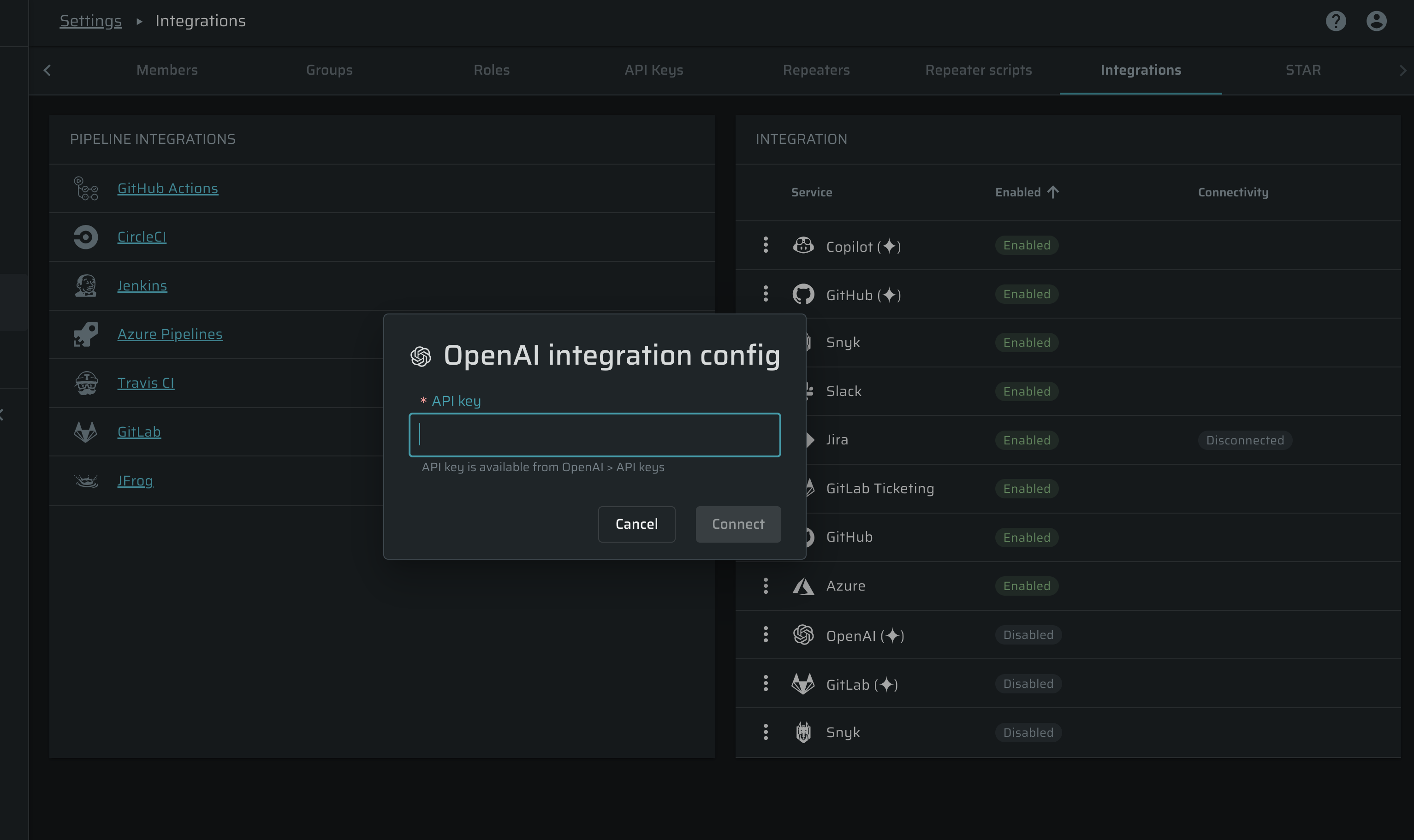
- In Bright's UI, navigate to Settings -> Integrations
- Click Connect to OpenAI.
- Paste your API key and click connect.
PrerequisitesEnsure your OpenAI account has sufficient credits and API access enabled. You can monitor usage in your provider's dashboard.
Required model supportMake sure your provider gives access to
gpt-5.3-codex(for code analysis and fix generation) andtext-embedding-3-small(for code embeddings). Without both models enabled on your account, STAR remediation will not work.
Anthropic Integration
STAR connects to Anthropic using an API key:
- Generate an API key in the Anthropic Console.
- In Bright's platform, go to Settings → Integrations.
- Click Connect Anthropic.
- Paste your API key and click Connect.
Before you startMake sure your Anthropic account has sufficient credits. See Anthropic's documentation for details.
Required model supportYour account must have access to
claude-sonnet-4-6. STAR remediation depends on it.
Security Best Practice: Rotate your API keys regularly and never share them publicly.