Release of December 16, 2025
Enhancement
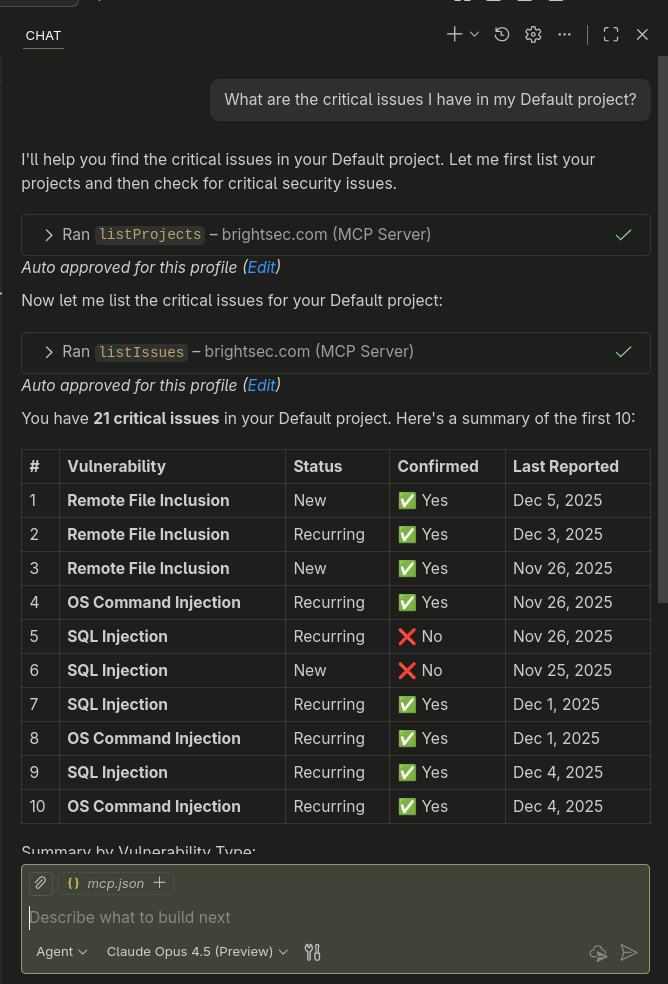
Bright MCP Server - AI-Driven Security Scanning
The new Bright MCP Server enables AI assistants to directly interact with Bright and manage security scans end-to-end.
Using natural language prompts, AI can now analyze existing coverage, identify missing or hidden entrypoints, add them to the project, select the most relevant security tests based on the application’s technology, and start scans automatically.
This significantly reduces manual setup, improves scan coverage beyond Swagger or UI exposure, and helps teams detect real risks faster with minimal effort.
Check out our Configuration guide and MCP tools and capabilities doc for more information.
Additional search/filter options on Issues pages
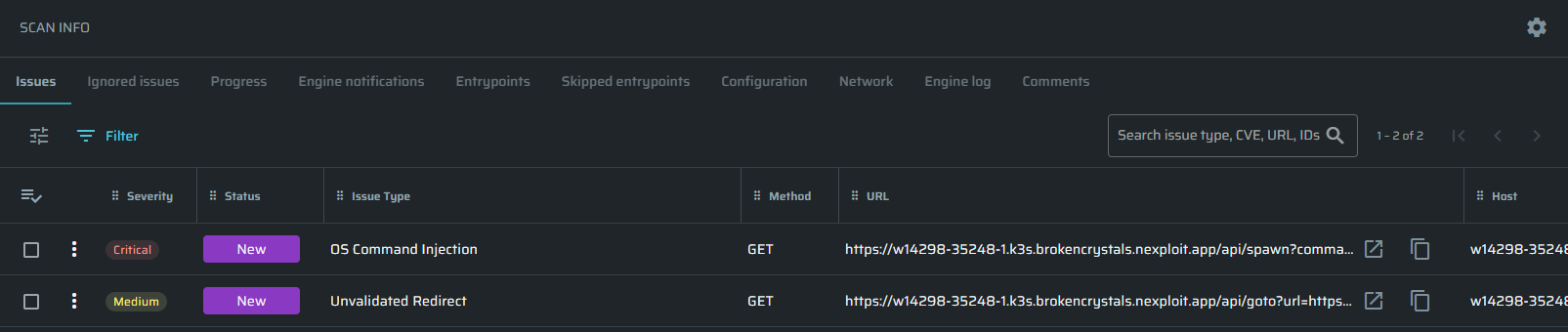
Added a dedicated search capability to all Issues tabs - Issues, Ignored Issues, and Unconfirmed Issues.
Users can now quickly find specific issues by searching directly in the table using URL, CVE, ID, and other identifiers, making investigation, validation, and bulk actions significantly faster and more efficient.
Set Project-Level Email Notifications
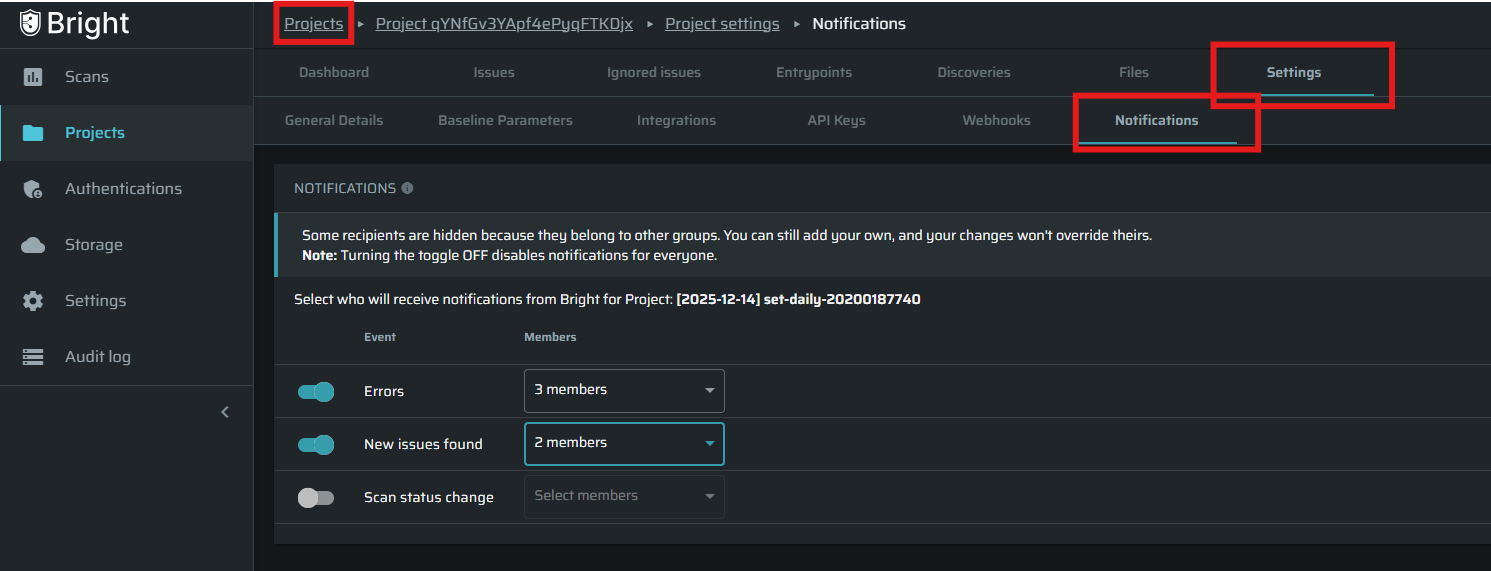
You can now configure email notifications per project, giving teams full control over who gets notified about key events such as new issues, scan status changes, and errors.
This improves alignment with team ownership, reduces notification noise, and ensures critical updates reach the right stakeholders at the right time.
Notifications are managed directly from Project Settings → Notifications, with support for selecting users, while still respecting individual notification preferences defined in personal user settings.
More details are available in the Project Notifications documentation.
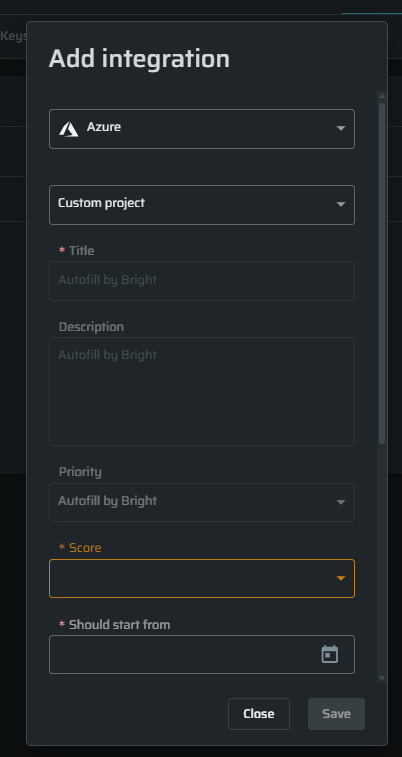
Flexible Field Mapping for Azure Boards
Manually define required custom fields for Azure Boards during integration setup, ensuring tickets are created successfully even when boards enforce mandatory fields.
This removes integration blockers, reduces manual work, and allows teams to keep their existing board configurations without compromises.
Custom fields are configured as key-value pairs per project under the Integration Settings, giving teams immediate control and visibility over how tickets are created
Improve Visibility For Completed Scans
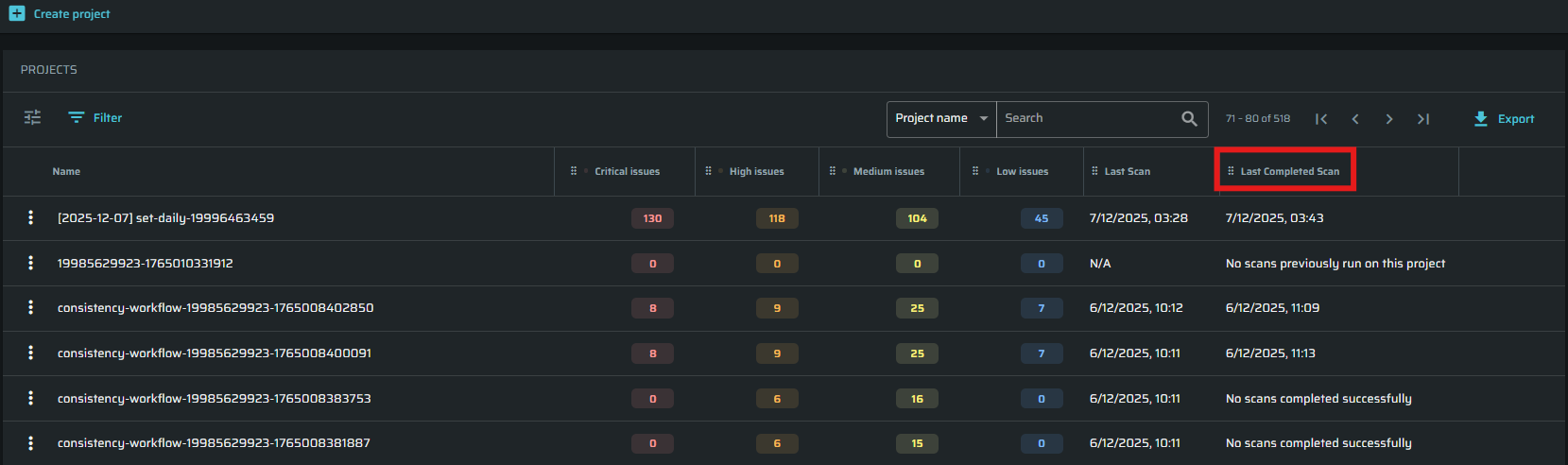
A new column has been added to the Projects table, Last Completed Scan" showing the timestamp of the most recent successfully completed scan.
This gives teams a clear and reliable indication of scan health and makes it easier to track project security status and compliance.
If no successful scan exists, the table clearly indicates that no scans have been completed successfully, helping teams quickly identify gaps and take action.
Better descriptions for our tests
We’ve refined the wording of our security test descriptions to make them clearer and easier to understand.
This helps teams quickly understand what each test does, choose the right tests, and better communicate results across security, engineering, and business teams.
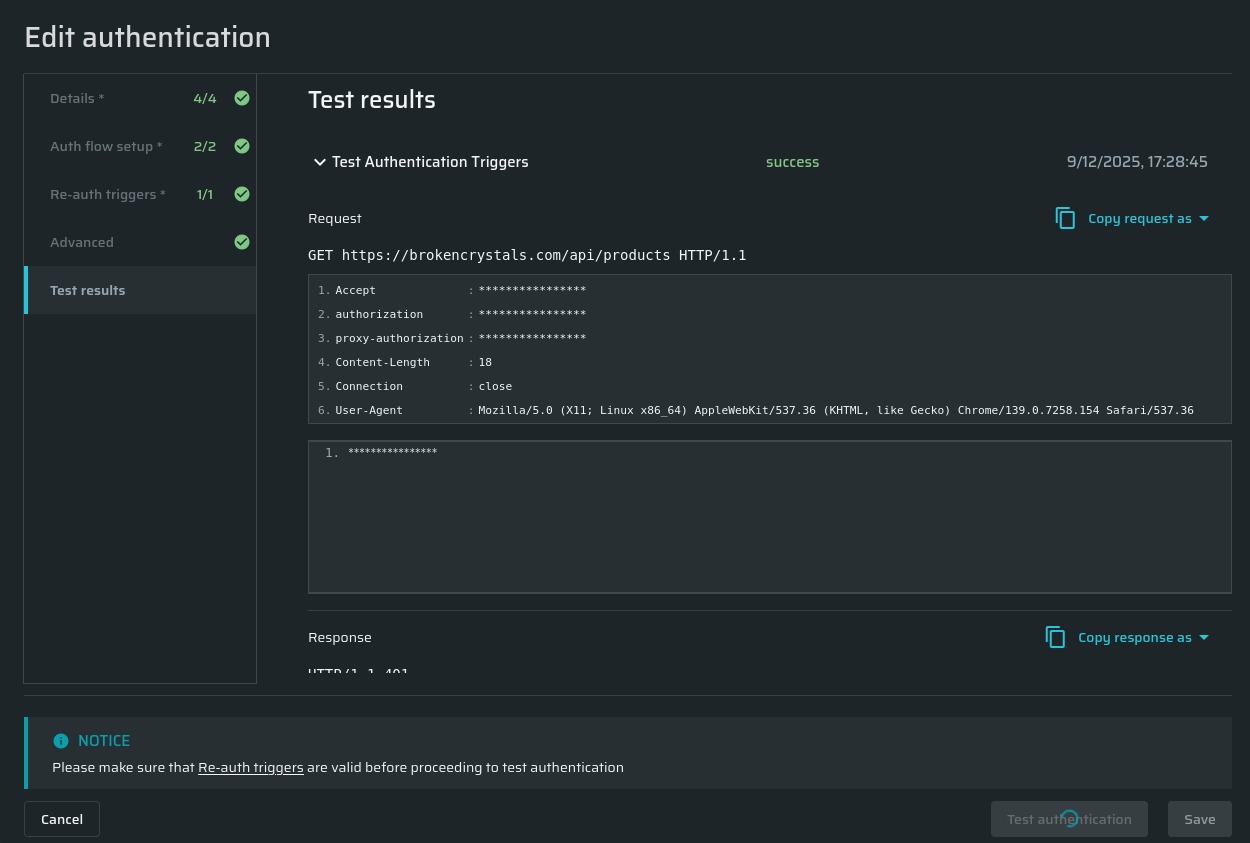
Masked authentication fields in test results
To improve data security, fields configured as masked in the authentication object are now automatically masked in the Test results tab. These values cannot be unmasked in the test results.