

Release of August 11, 2026
New Repeater Widget
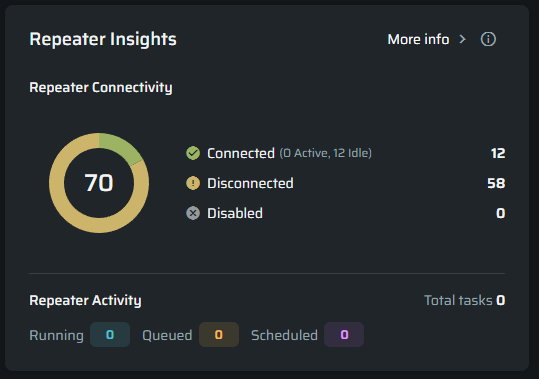
The Organization Dashboard now includes a Repeater Insights widget, providing a quick overview of repeater availability and workload across the selected projects.
The widget shows:
- Connected, active, and idle repeaters
- Disconnected and disabled repeaters
- Running, queued, and scheduled Scan and Discovery tasks
When multiple projects are selected, the information is combined across those projects.
This gives you an immediate view of your repeater infrastructure, helping you identify availability or capacity issues before they affect your security testing. You can select More Info to open the Repeaters page and investigate the relevant repeaters.
Manage Authentications Within a Project
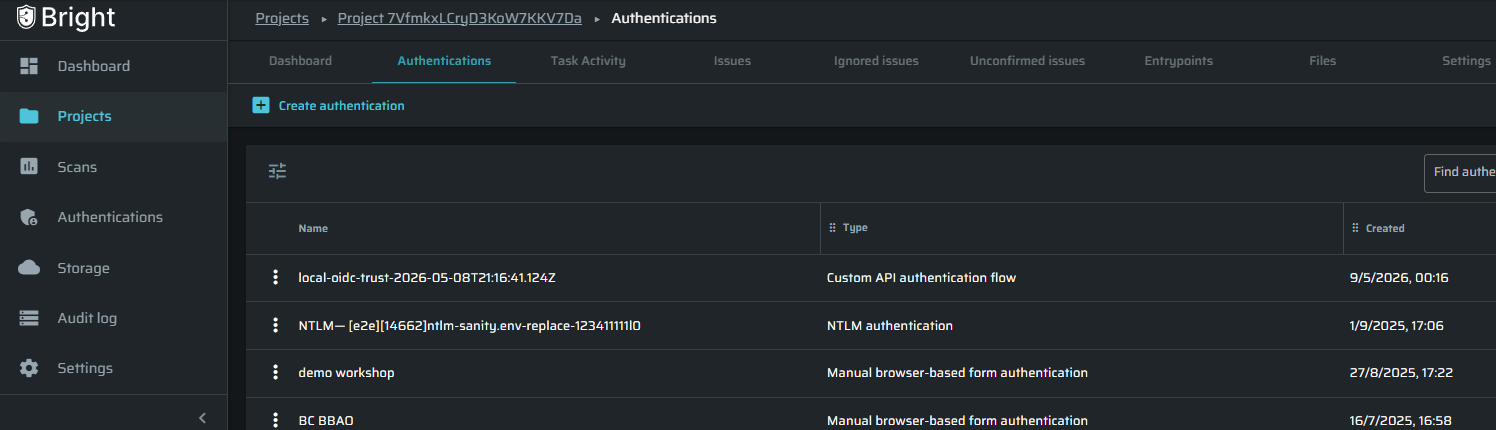
You can now manage project-related Authentications directly from the relevant Project page.
A new Authentications tab lets you:
- View the Authentications associated with the project
- Create new Authentications
- Edit existing Authentications
When you create an Authentication from this tab, Bright automatically assigns it to the current project.
This provides a more focused experience and reduces the need to move between different areas of the platform.
The organization-level Authentications page remains available for managing Authentications across all projects.
Classify Projects for Better Visibility and Prioritization
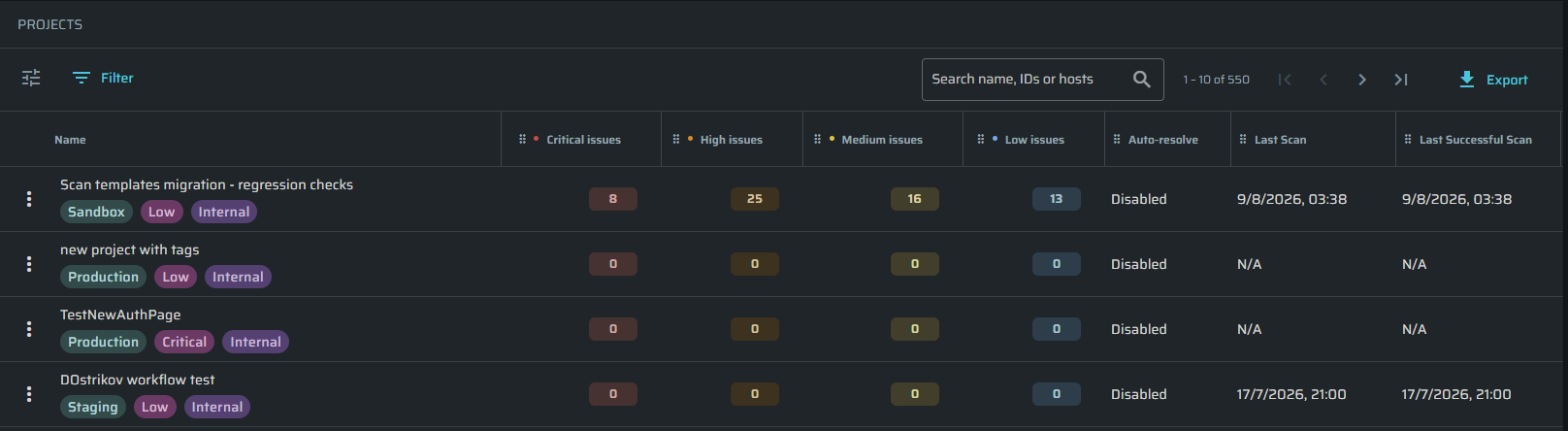
You can now classify and filter projects based on important business and security attributes, including:
- Environment
- Business Criticality
- Exposure
Project classifications provide additional context about each application and make it easier to understand which projects may require the most attention.
You can also use these classifications to filter projects and focus your security efforts on the applications that matter most to your organization; this applies to both the Projects page and organization dashboard.
For more info, visit: Project Classification User Guide
Find Projects by Host
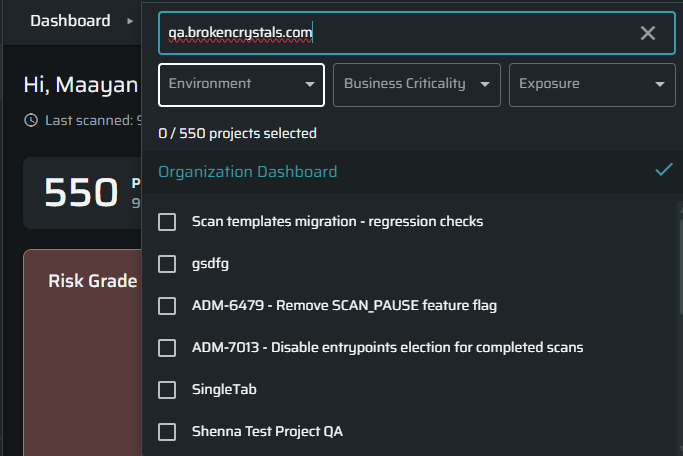
You can now search for projects using their associated hosts.
Host search is available in:
- The Projects table
- The project selector in the Organization Dashboard
This makes it easier to find the correct project when you know the application host but do not know the exact project name or ID.
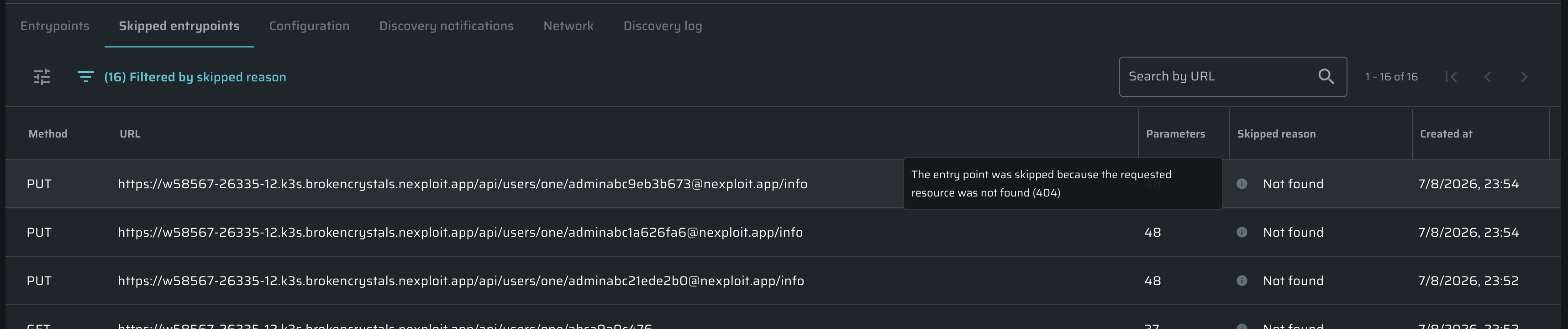
Clearer Information for Skipped Entry Points
Bright now provides clearer information when an entry point is skipped because its request is missing a Content-Type header.
The skip reason is displayed directly in the Entry Points table, together with additional guidance in a tooltip. You can also sort the table by skip reason.
This helps you quickly understand why an entry point was not tested, identify configuration issues, and take the necessary action to improve your scan coverage.
Security Testing
New Test: EXIF Metadata Leakage
Bright can now detect applications that store and serve user-uploaded images without stripping EXIF metadata.
The test uploads canary images containing unique EXIF markers (GPS coordinates, device identifiers, timestamps, and comment fields) to file upload endpoints. It then searches the application for served copies — in upload responses, redirects, API responses, rendered HTML, and linked image URLs — and verifies whether the injected metadata is still present.
If the controlled fields are found intact, Bright reports an EXIF Metadata Leakage finding (Medium severity, CWE-1230).
This test covers both JPEG and PNG formats and supports multipart and JSON-encoded uploads.
Improvement: DOM XSS Scan Reliability
Improved scan reliability for DOM-based Cross-Site Scripting (XSS). Forms are now fully tested even when a scan is paused and resumed mid-flight, eliminating a scenario where interrupted scans could miss valid XSS findings.