

Release of February 24, 2026
Enhancement
This release introduces several new features and improvements to enhance usability, visibility, and configuration control within the platform. Users can now benefit from better task tracking, clearer project scan status indicators, and expanded support for application scanning.
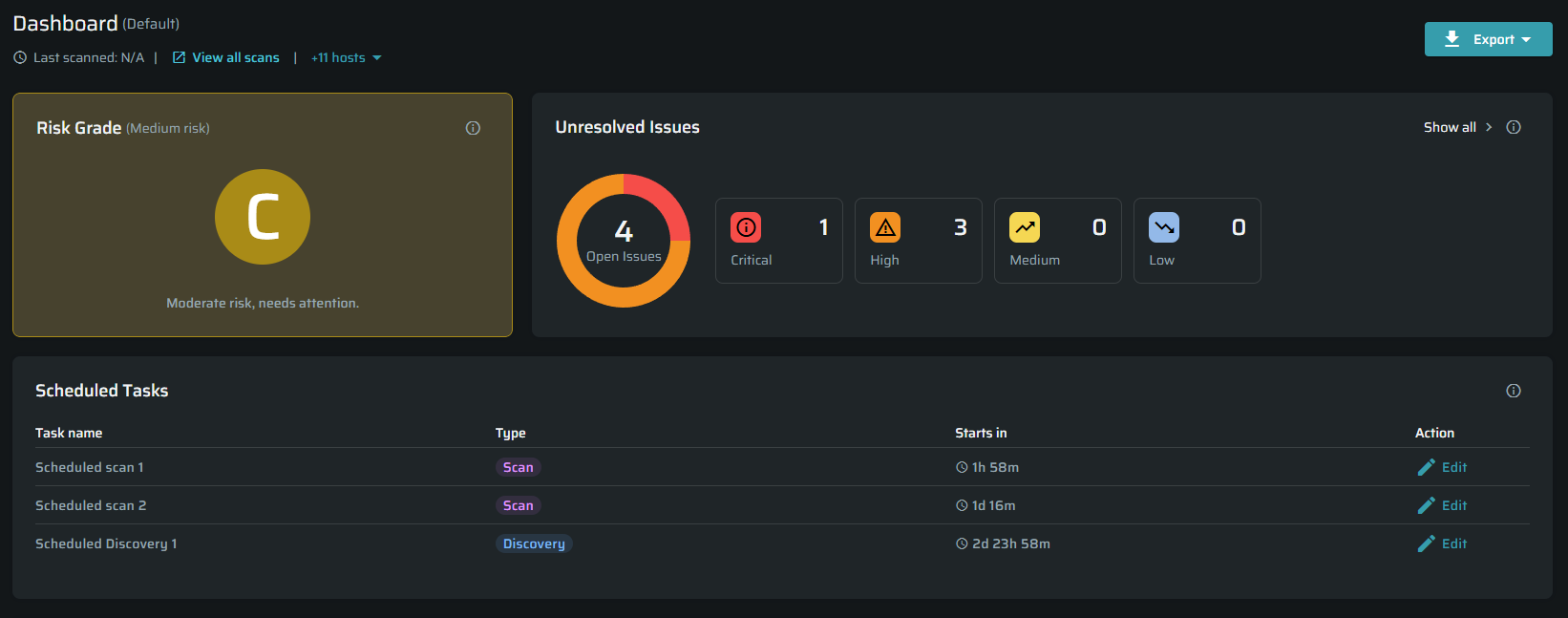
Scheduled Tasks Widget
A new Scheduled Tasks widget has been added to the Project Dashboard. This widget displays upcoming scan tasks with details like scan name, type, and a countdown timer, providing users with clear visibility of their scheduled scans.
Users can easily access and edit scheduled tasks through direct links to the Scan/Discovery pages. This feature is available to all users interacting with project dashboards and simplifies monitoring scan schedules.
Latest Failed Scan Indicator
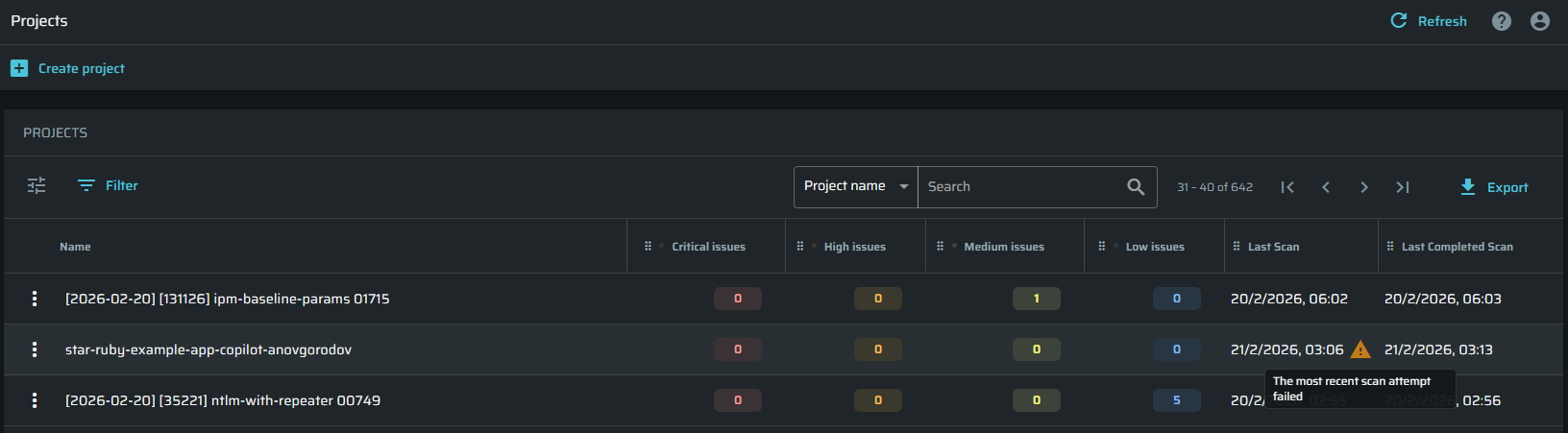
The Projects table now displays a warning icon next to the "Last Scan" date when the most recent scan attempt fails or is disrupted. Hovering over this icon reveals a tooltip explaining that the latest scan attempt was unsuccessful, helping managers quickly identify compliance issues.
This visual is designed for managers who need to assess project scanning status at a glance without confusion between successful and failed scans.
Single Tab Support for Scans and Discoveries
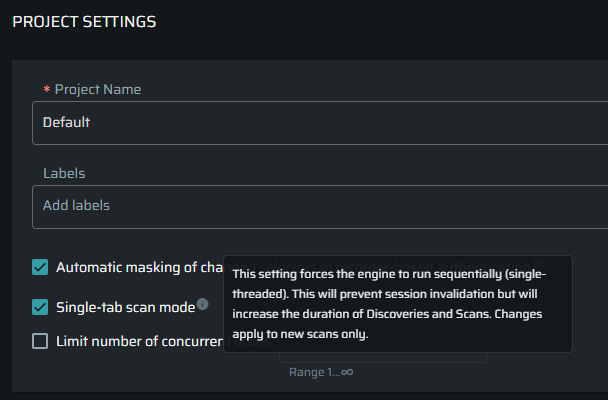
Support has been added for running discoveries and scans on applications that do not accommodate multiple browser tabs. This update includes configuration options accessible via Project Settings and the Scan dialog, ensuring more robust handling of different application environments.
This enhancement allows users working with single-tab applications to perform scans without disruption, broadening compatibility across various setups.
Editing Scheduled Discoveries
Users can now edit existing scheduled discoveries directly from the Discovery → Scheduled Discovery's kebab menu → Edit view. Clicking Edit opens the configuration panel, allowing updates to targets, scheduling, and other discovery settings without needing to recreate the discovery.
This resolves a previous limitation where scheduled discoveries could not be modified after creation. All users with access to manage discoveries can update their scheduled configurations as expected.